 Tablux
Free PostgreSQL demo database you can connect to
Tablux runs a read-only PostgreSQL demo database that anyone can connect to from Tablux, psql or any other PostgreSQL client. It holds “Trailhead Outfitters”, an invented outdoor-gear shop with 24 months of orders, customers, products, refunds and page views, with real-looking trends and deliberate data problems to find. The login is below; no sign-up.
Connection details
| Setting | Value |
|---|---|
| Host | aws-1-eu-west-2.pooler.supabase.com |
| Port | 5432 |
| Database | postgres |
| User | tablux_demo.nwazeancgffixzvpqgvc |
| Password | tablux-demo-readonly |
| SSL | On (sslmode=require) |
The data lives in the schema shop, which is the login’s default search_path, so SELECT * FROM orders works without a prefix. It is hosted on Supabase in London (eu-west-2) and reached through Supabase’s session pooler: the .nwazeancgffixzvpqgvc after the user name tells the pooler which project to use.
With psql (or any libpq tool):
psql "host=aws-1-eu-west-2.pooler.supabase.com port=5432 dbname=postgres user=tablux_demo.nwazeancgffixzvpqgvc sslmode=require"Enter tablux-demo-readonly at the password prompt. Clients that take a URL can use:
postgresql://tablux_demo.nwazeancgffixzvpqgvc:[email protected]:5432/postgres?sslmode=requireNeed psql first? See how to install psql on a Mac. In Tablux, choose PostgreSQL in the new connection form, type the values above and keep Use SSL / TLS on.
What you can and can’t do
- Read only. The login has
SELECTon the shop tables anddefault_transaction_read_onlyon, so any write is refused by the server. - 15-second statement timeout. Longer queries are cancelled.
- 20 connections at once for everyone together. If you are turned away, try again in a minute.
- The data is regenerated from time to time, with dates that end at the current month, so counts move between visits. Don’t build anything that depends on it.
The tables
| Table | What’s in it |
|---|---|
categories | 10 product categories, such as Tents, Winter jackets and Trail running |
products | Name, SKU, price, cost, stock, launch date, category |
customers | Name, email, country, join date, acquisition channel, newsletter flag |
orders | Customer, time, status, shipping country, channel, subtotal, shipping, total |
order_items | Order, product, quantity, unit price |
payments | Method and amount per order |
refunds | Order, product, amount, reason, date |
support_tickets | Topic, priority, created and resolved times |
page_views | About 180,000 page views: session, path, time, channel, device |
monthly_revenue | A view: orders and revenue per month, cancelled orders left out |
Queries to try
Each of these finds one of the patterns built into the data.
Revenue by month, with the winter and summer peaks:
SELECT * FROM monthly_revenue ORDER BY month;The category that keeps growing: Trail running starts from almost nothing.
SELECT date_trunc('month', o.ordered_at)::date AS month,
       sum(oi.quantity * oi.unit_price) AS revenue
FROM order_items oi
JOIN orders o ON o.id = oi.order_id
JOIN products p ON p.id = oi.product_id
JOIN categories c ON c.id = p.category_id
WHERE c.name = 'Trail running' AND o.status <> 'cancelled'
GROUP BY 1
ORDER BY 1;
A refund spike: in one month, four months back from the latest data, a batch of the “Ridgeline 2P tent” comes back with a failed zipper.
SELECT date_trunc('month', r.refunded_at)::date AS month, p.name, r.reason,
       count(*) AS refunds, sum(r.amount) AS refunded
FROM refunds r
JOIN products p ON p.id = r.product_id
GROUP BY 1, 2, 3
ORDER BY refunds DESC
LIMIT 10;
Orphaned orders: orders.customer_id has no foreign key, and some customers were deleted.
SELECT o.id, o.customer_id, o.ordered_at, o.total
FROM orders o
LEFT JOIN customers c ON c.id = o.customer_id
WHERE c.id IS NULL
ORDER BY o.ordered_at;
Duplicate customers whose emails differ only in case:
SELECT lower(email) AS email, count(*) AS accounts, array_agg(id ORDER BY id) AS ids
FROM customers
GROUP BY lower(email)
HAVING count(*) > 1;
Missing countries, negative quantities and stale orders:
SELECT count(*) FILTER (WHERE ship_country IS NULL) AS no_country, count(*) AS orders
FROM orders;
SELECT * FROM order_items WHERE quantity < 0;SELECT id, ordered_at, total
FROM orders
WHERE status = 'pending' AND ordered_at < now() - interval '30 days'
ORDER BY ordered_at;A missing index: compare the plan for a lookup by product, which no index leads with, with one by order, which the primary key covers:
EXPLAIN SELECT * FROM order_items WHERE product_id = 42;
EXPLAIN SELECT * FROM order_items WHERE order_id = 42;
What Tablux Insights finds here
Connect in Tablux and Insights opens first. Without any AI it reads the catalog and lists table sizes, row counts and indexes, and findings such as:
order_items.product_idhas no index: it points atproducts, so joins on it scan the whole table. The suggestedCREATE INDEXgoes into the editor (and would be refused here anyway, since the login is read-only). Other foreign keys without an index show up too; why that matters.page_viewshas no primary key.
If you have set up the AI assistant, Insights can also build a dashboard for the shop from its schema: one AI question writes up to eight read-only queries, which run on your device. The data quality problems above are left for you to find with SQL, or by asking the assistant to write the query.
Also in the app: a sample SQLite bookshop
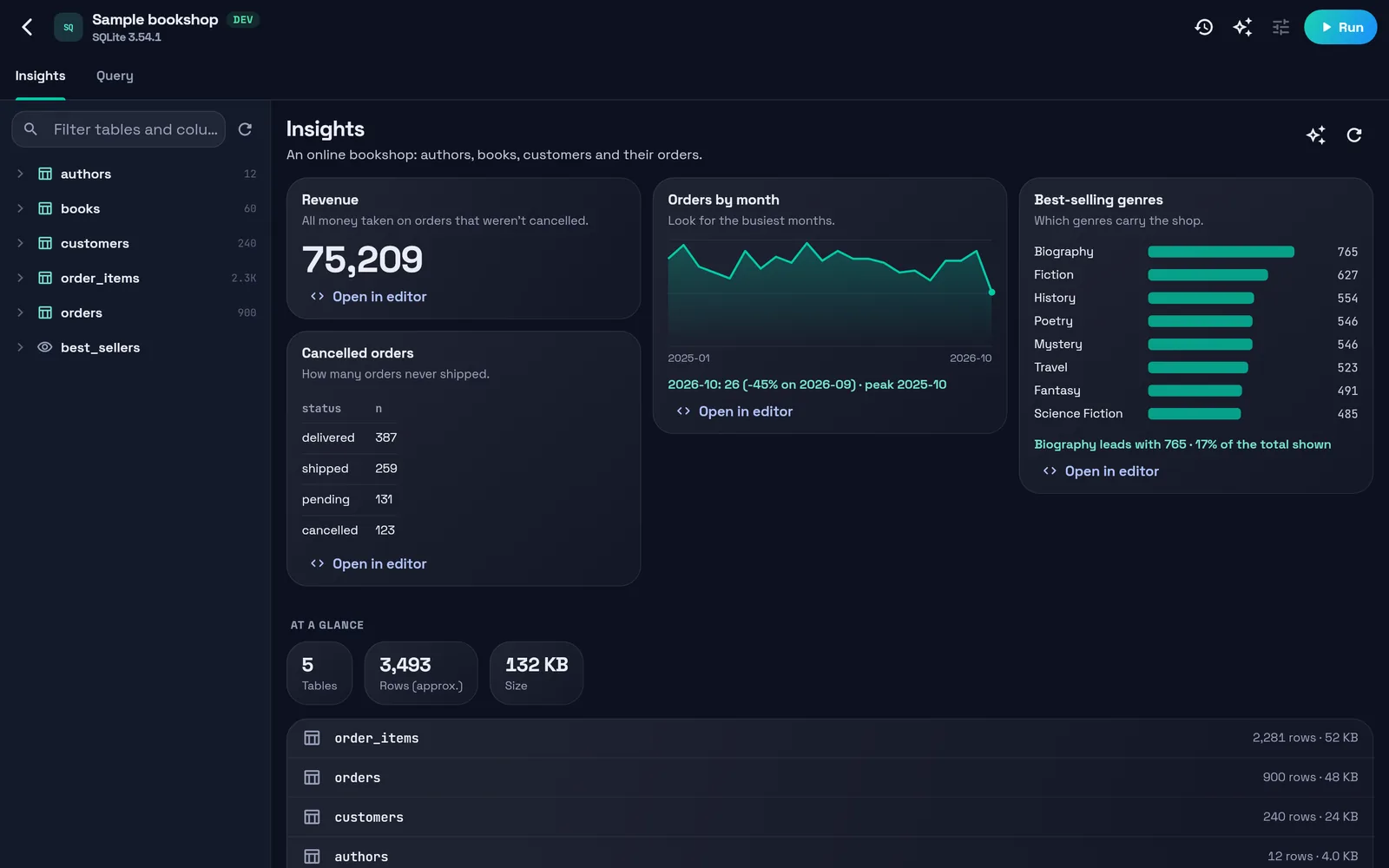
Tablux creates a small SQLite database on your device the first time it starts: authors, books, customers, orders and order items, and a best_sellers view. It works offline and you can change it freely, then reset it from Settings. More on SQLite in Tablux.
Questions
Is there a free PostgreSQL database online I can query without signing up?
Yes. Use host aws-1-eu-west-2.pooler.supabase.com, port 5432, database postgres, user tablux_demo.nwazeancgffixzvpqgvc and password tablux-demo-readonly, with SSL on.
Does the demo work with psql, DBeaver or pgAdmin?
Yes, it is a standard PostgreSQL server reached through Supabase’s session pooler. Any client that supports SSL can connect.
Can I create tables or insert rows?
No. The login is read-only on the server, and statements are stopped after 15 seconds.
Why is my connection refused?
The demo allows 20 connections in total. Try again shortly, and check that SSL is on and the user name includes the .nwazeancgffixzvpqgvc part.
Is there a MongoDB or DynamoDB demo?
Not a public one. You can use this PostgreSQL demo and the sample SQLite database that comes with the app.