 Tablux
Database client
SQLite viewer and editor for Mac, iPhone and iPad
Tablux opens SQLite databases on Mac, iPhone and iPad. Choose Open SQLite file…, pick a .sqlite, .db or any other SQLite file from Finder or Files, and Tablux checks it really is SQLite, copies it into the app and opens the copy: tables and views, a SQL editor, a results grid and Insights. Your original file is never changed.
Opening a SQLite file
Tap the file button next to New (or Open SQLite file… on an empty list) and pick the file. Any extension is fine (.sqlite, .sqlite3, .db, .db3, none at all): Tablux reads the first 16 bytes, which every SQLite database starts with (SQLite format 3), and refuses anything else with a clear message, including encrypted (SQLCipher) files.
Tablux then opens a copy in its own storage and names the connection after the file. That is deliberate: the iPhone, iPad and Mac apps are sandboxed, and working on a copy means nothing you try can damage the original. Changes you make stay in the copy. To look at a newer version of the file, open it again; the new copy gets its own name.
One thing to know about write-ahead logging: if another app still has the database open in WAL mode, recent changes may sit in the -wal file next to it. On iPhone and iPad only the main file comes across, so you see the data as of the last checkpoint. Close the other app (or run PRAGMA wal_checkpoint; there) first if you need the very latest rows.
You can also start an empty database: choose SQLite in the connection form, give it a name and leave the file empty.
The sample bookshop
Tablux creates a small SQLite database on first launch so you can try everything without a server: authors, books, customers, orders and order_items, plus a best_sellers view. Reset it from Settings or the connection’s menu whenever you like. Try:
SELECT * FROM best_sellers LIMIT 10;SELECT a.country, COUNT(*) AS books, ROUND(AVG(b.price), 2) AS avg_price
FROM books b
JOIN authors a ON a.id = b.author_id
GROUP BY a.country
ORDER BY books DESC;SELECT c.city, COUNT(o.id) AS orders, ROUND(SUM(o.total), 2) AS revenue
FROM customers c
JOIN orders o ON o.customer_id = c.id
WHERE o.status <> 'cancelled'
GROUP BY c.city
ORDER BY revenue DESC;Writing SQL on a phone
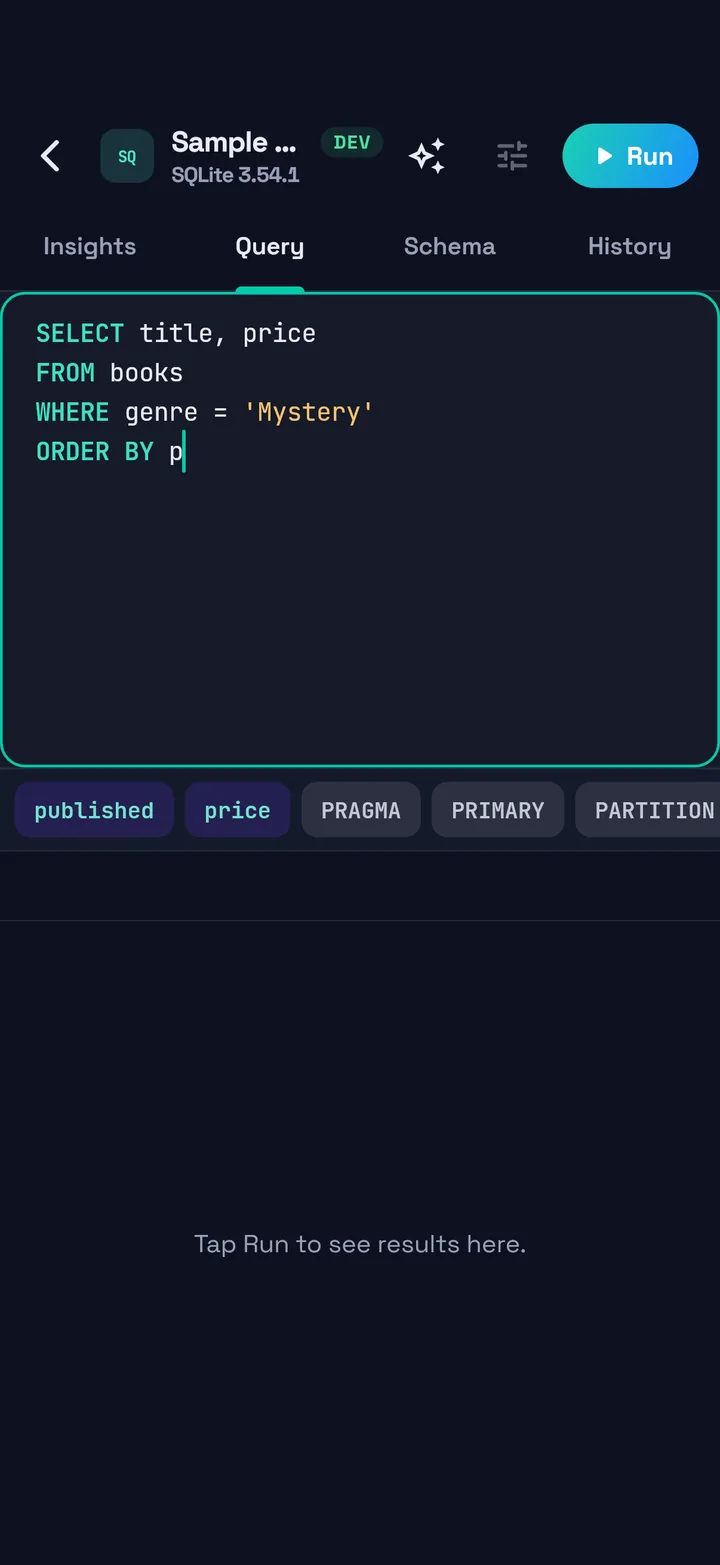
SQLite is where most people first try the key bar: a row above the iPhone keyboard with SELECT, *, FROM, WHERE, JOIN, GROUP BY, quotes and brackets. Start typing and it offers your own table and column names. On a Mac or a wide iPad window, schema, editor and results sit side by side, and ⌘+Return runs the query.
Schema, Insights and read-only
The schema view lists tables and views with column types, primary keys, foreign key targets and exact row counts. Insights adds index counts and flags foreign keys whose column doesn’t lead an index, tables without a primary key and empty tables. On the sample, it points out that order_items.book_id has no index of its own. Suggested fixes go into the editor and never run by themselves.
Switch on Read-only and Tablux refuses writes in the app and sets PRAGMA query_only = ON, so SQLite itself rejects any statement that would change the file.
Limits
- Tablux opens a copy, so edits don’t flow back to the original file, and there is no export of the copy yet.
- No editing in the results grid; write
UPDATEstatements instead. Results stop at 5,000 rows. - Databases stay on the device that opened them. There is no iCloud sync.
- Encrypted databases (SQLCipher) aren’t supported.
- Sizes in Insights appear only when the SQLite build includes the
dbstattable.
Questions
Can Tablux open a .sqlite or .db file from Finder or Files?
Yes. Choose Open SQLite file… and pick it. Tablux checks it is a SQLite database and opens a copy, so the original file is never changed.
Why does Tablux open a copy?
The apps are sandboxed, and a copy means nothing you run can damage the original. Changes you make stay in the copy; open the file again to see a newer version.
Does it work with any file extension?
Yes. Tablux recognises SQLite by the file’s first 16 bytes, not its name, so .sqlite, .sqlite3, .db or no extension all work.
What is the sample database?
A small bookshop (authors, books, customers, orders, order items and a best-sellers view) created on your device. You can reset it from Settings.
Can I try a server database without setting one up?
Yes. Connect to the hosted read-only PostgreSQL demo; the login is on the demo page.