 Tablux
Database client
MongoDB GUI for Mac, iPhone and iPad
Tablux is a MongoDB GUI for Mac, iPhone and iPad. Connect to your own server or to Atlas with mongodb+srv, browse collections with the fields found in a sample of documents, and run mongosh-style find, aggregate, countDocuments and distinct calls. Tablux parses those calls instead of running JavaScript, and shows the documents as rows.
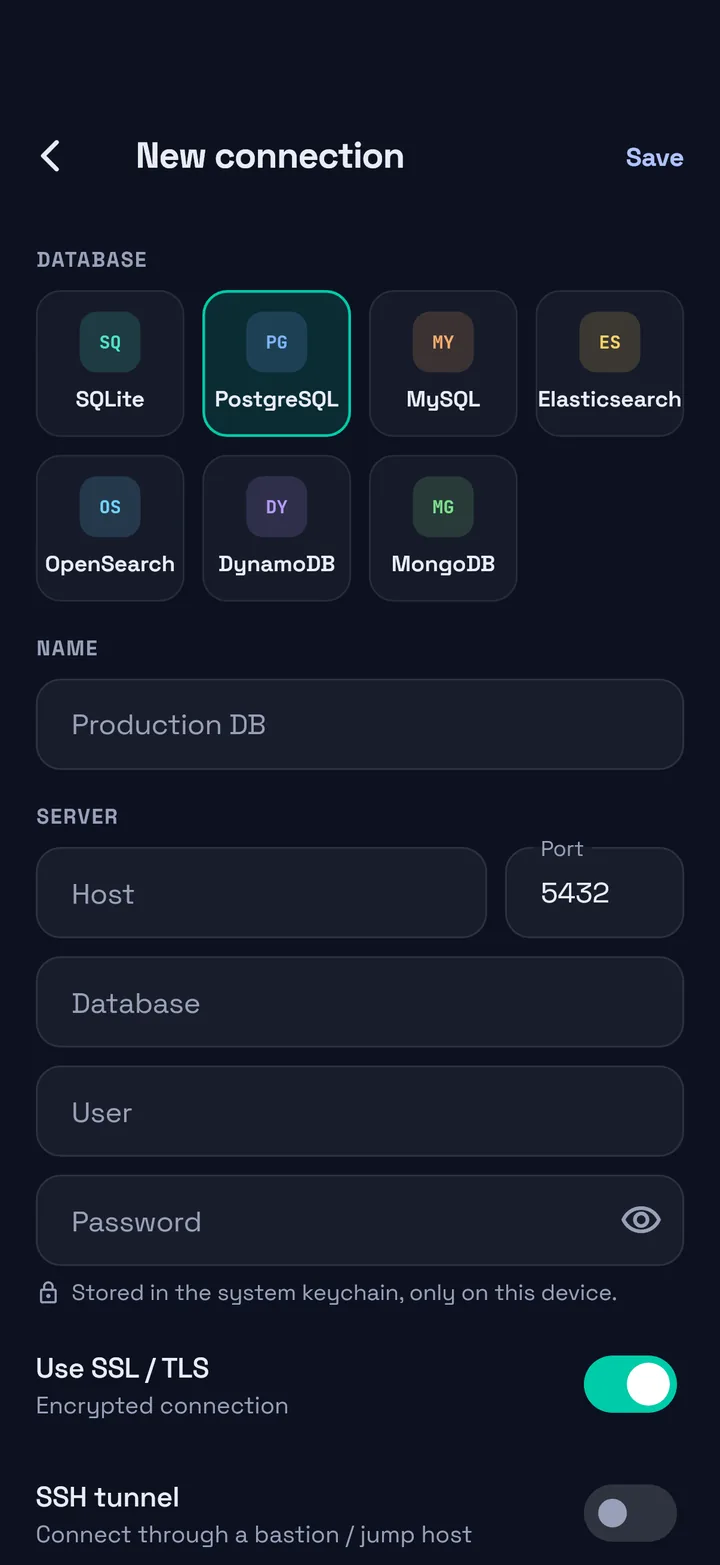
What connecting needs
| Field | What to enter |
|---|---|
| mongodb+srv (Atlas) | On to find the servers through DNS, as Atlas connection strings do |
| Host, Port | With mongodb+srv, the cluster host only (cluster0.abcd1.mongodb.net); otherwise host and port, 27017 by default |
| Database | The database to open; empty means test |
| User, Password | A database user; the password is kept in the system keychain |
| Use SSL / TLS | Always on with mongodb+srv; a switch otherwise. It encrypts, it doesn’t verify the certificate |
| SSH tunnel | Optional, for a server behind a bastion |
There is no box to paste a whole connection string: take the host from it. When you give a user, Tablux authenticates against the admin database by default, which is where Atlas keeps its password (SCRAM) users. For a user created in another database, put that database in Auth database (the authSource of a connection string).
Atlas: Atlas only accepts connections from addresses in the project’s IP access list, so add the network your Mac or phone is on before you press Test.
Queries: mongosh syntax, parsed
Type the calls you would type in mongosh. Keys can be unquoted, strings single- or double-quoted, and ObjectId("…"), ISODate("…"), NumberLong(…), NumberDecimal("…") and /regex/i all work. Tablux parses the call and sends it through the driver; variables, functions and loops aren’t supported because no JavaScript runs.
db.orders.find({status: "paid", total: {$gt: 100}}).sort({createdAt: -1}).limit(20)db.orders.aggregate([
{$match: {status: "paid"}},
{$group: {_id: "$country", revenue: {$sum: "$total"}, orders: {$sum: 1}}},
{$sort: {revenue: -1}}
])db.customers.countDocuments({email: /@example\.com$/i})db.orders.find({_id: ObjectId("65f1c2a9e4b0a1b2c3d4e5f6")})Also supported: findOne, distinct, estimatedDocumentCount, getIndexes, stats, show collections, show dbs, db.stats(), and for changes insertOne/insertMany, updateOne/updateMany, replaceOne, deleteOne/deleteMany, createIndex, dropIndex and drop. More patterns in MongoDB query examples.
What the schema view shows
Collections (system collections hidden) with a document count, and the fields found in a $sample of 100 documents: _id first, one level of nested fields such as address.city, each field’s type and whether every sampled document has it. Tap a collection to run find({}).limit(100) on it. Documents become rows, nested objects compact JSON, ObjectIds hex strings and dates ISO 8601 in UTC. Tap a row to see every value in full, then copy a value, the row as JSON or the whole result as CSV. A result stops at 5,000 rows.
Insights on MongoDB
Insights shows storage plus index size and the number of indexes per collection, and flags:
- collections over 10,000 documents with only the
_idindex, with acreateIndextemplate for the editor - fields that hold more than one type in the sample (
"42"and42), with an aggregation that counts each type, because a query on one type skips the other - empty collections
With the AI assistant set up, it can also build a dashboard of read-only find, aggregate and count queries from your field names, run on your device.
Read-only on MongoDB
MongoDB has no read-only session, so with Read-only on, Tablux’s session refuses every call that writes before it is sent: inserts, updates, deletes, drops, index changes and an aggregate with $out or $merge. The form recommends signing in as a read-only user as well, for example one with MongoDB’s built-in read role, since that is enforced by the server.
On production, deleteMany or updateMany with an empty filter and drop need the connection’s name typed before they run.
Tag the connection Production and every request that changes data asks first. A new connection tagged Production starts with Read-only on. More on production safety.
Limits
- No JavaScript: one call at a time with literal arguments;
findOneAndUpdateandbulkWritearen’t supported. - TLS encrypts without verifying the certificate.
- Fields come from a 100-document sample, one nesting level deep.
- No hosted MongoDB demo; try the sample SQLite database or the PostgreSQL demo.
Questions
Does Tablux work with MongoDB Atlas?
It has a mongodb+srv switch for Atlas-style connection strings: enter the cluster host, user and password, and add your IP address to the Atlas access list.
Can I paste JavaScript from mongosh?
You can paste single calls like db.orders.find({...}).limit(20). Tablux parses them rather than running JavaScript, so variables, functions and loops are not supported.
How does Tablux know my fields if MongoDB has no schema?
It samples 100 random documents per collection and lists each field it saw, its type, and whether every sampled document had it.
Is there a MongoDB demo to try?
Not a hosted one. Tablux includes a sample SQLite database, and there is a read-only PostgreSQL demo anyone can connect to.