 Tablux
Feature
SSH tunnels: reach Postgres and other databases through a bastion
An SSH tunnel forwards a port on your machine, through an SSH server you can reach, to a database you can't reach directly, such as PostgreSQL in a private network. By hand that's ssh -N -L 5433:db.internal:5432 you@bastion, then connect to 127.0.0.1 port 5433. Tablux opens the same kind of tunnel for each connection, with a password or private key, and pins the server's host key.
Why databases sit behind a bastion
A production database usually doesn't accept connections from the internet. It lives in a private subnet, and the one machine you can reach is an SSH server next to it, often called a bastion or jump host. SSH proves who you are with a key or password and encrypts the hop. From the bastion, the database port is just another address on the private network.
So the database sees the connection coming from the bastion, not from you. Its own rules (pg_hba.conf on PostgreSQL, a security group or firewall in the cloud) have to allow the bastion, and you still sign in to the database with a database user as usual.
Open a tunnel with ssh -L
OpenSSH's -L option does local port forwarding. Any client can then use the tunnel, Tablux included:
ssh -N -L 5433:db.internal:5432 [email protected]-L 5433:db.internal:5432is[bind_address:]port:host:hostport: listen on local port 5433 and send each connection todb.internal:5432. That host name is resolved on the bastion, so use the address the bastion knows the database by.-Nruns no remote command; the session exists only to forward the port.- Add
-i ~/.ssh/id_ed25519to choose a key,-fto send ssh to the background, and-o ServerAliveInterval=60to stop idle tunnels being dropped.
Local port 5433 avoids clashing with a PostgreSQL you may run on 5432. Leave the command running and connect through it in another terminal:
psql "host=127.0.0.1 port=5433 dbname=appdb user=app_user"For MySQL, forward a local port to 3306 (-L 3307:db.internal:3306) and connect with mysql -h 127.0.0.1 -P 3307 -u app_user -p. Use 127.0.0.1 rather than localhost: the mysql client takes localhost to mean a local Unix socket and ignores the port.
-J is different: it reaches another SSH server through a jump host. For a database, -L through the bastion is what you want. If you don't have psql yet, see installing psql on a Mac.
Check the host key the first time
The first time you connect, ssh shows the server's host key fingerprint and asks whether to trust it. That is the moment to compare it with the real one. On the server, or from whoever runs it:
ssh-keygen -lf /etc/ssh/ssh_host_ed25519_key.pubIt prints a fingerprint like SHA256:…. If they match, you are talking to your server. If a known server's key ever changes, ssh refuses with a warning that the remote host identification has changed: either the server was rebuilt, or something is in the middle.
SSH tunnels in Tablux
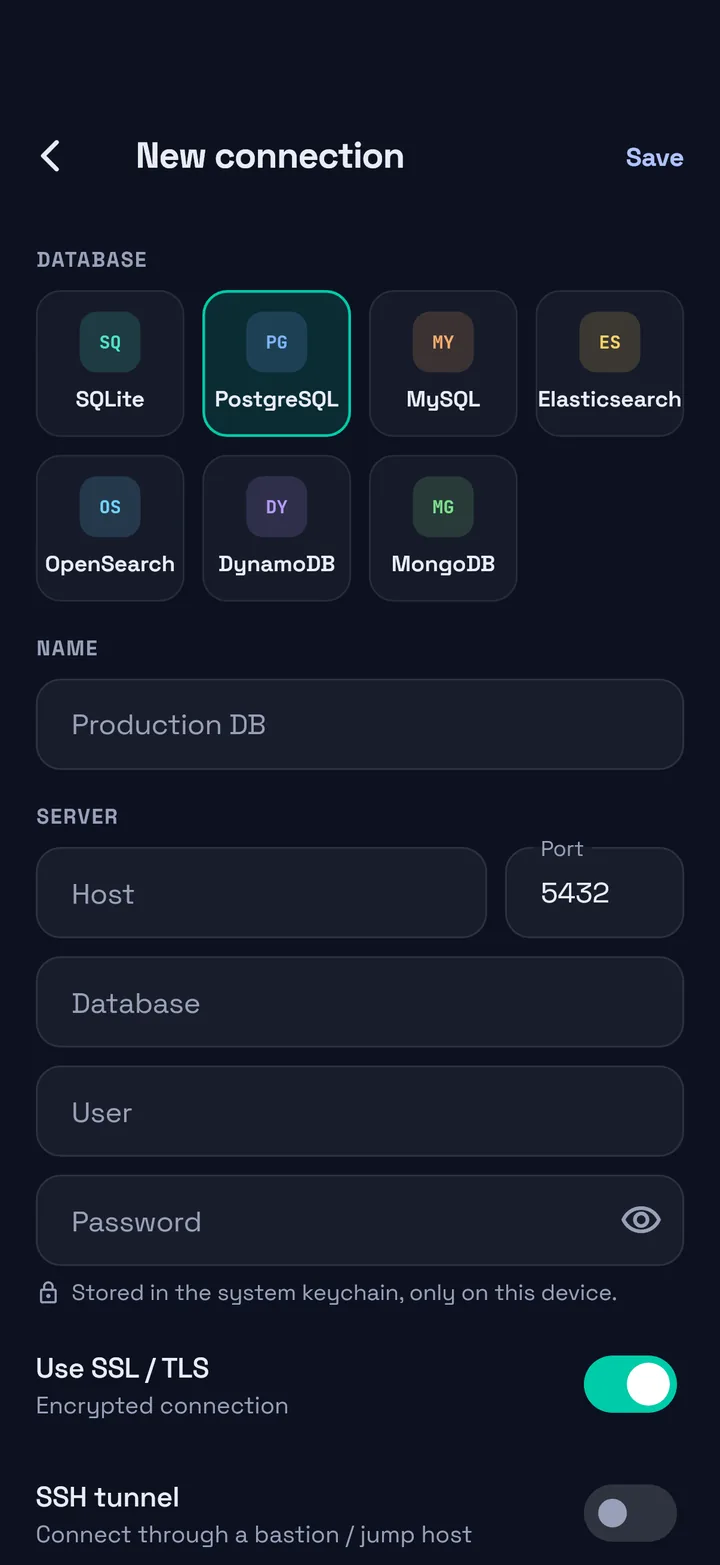
In a connection's settings, switch on SSH tunnel and fill in the SSH host, port (22 by default) and user. The database host and port above it are then read as the bastion sees them, such as db.internal and 5432. Sign in to SSH with either:
- a password, or
- a private key pasted in OpenSSH or PEM format (
-----BEGIN … PRIVATE KEY-----), with its passphrase if it has one.
When the connection opens, Tablux signs in to the SSH server, listens on a random port on 127.0.0.1 on your device and forwards each database connection over SSH, exactly what ssh -L does. The test button says “through SSH” when it worked. Closing the connection closes the tunnel. Insights opens its own read-only connection through the same tunnel settings.
Host keys: pinned, and never accepted silently
The first time Tablux sees an SSH server for a connection, it shows Trust this SSH server? with the SHA256:… fingerprint to compare against ssh-keygen -lf. Trust it and the fingerprint is saved with the connection. From then on a server showing any other key is refused, with a message that the key has changed. Tablux never accepts the new key for you. If you know why it changed, tap Forget next to the saved host key in the connection's settings and connect again to see the new fingerprint.
Which databases can use a tunnel
- PostgreSQL
- MySQL and MariaDB
- MongoDB, connecting by host and port
- Elasticsearch
- OpenSearch, except with AWS sign-in
Not SQLite, which is a file on your device, and not DynamoDB or OpenSearch with AWS sign-in, which go to AWS's own HTTPS endpoints.
Keys stay on the device, and the Mac needs nothing extra
The SSH password, private key and passphrase are stored in the system keychain on your device, like database passwords. Connection settings stay on the device too; nothing goes through a Tablux server. On the Mac there is nothing else to set up: no Terminal session to keep open and no local port to choose. The tunnel lives inside the app.
Questions
What is the ssh command for a Postgres tunnel?
ssh -N -L 5433:db.internal:5432 user@bastion forwards local port 5433 to the database as the bastion sees it. Then connect any client to 127.0.0.1 port 5433.
What happens if the SSH server's host key changes?
Tablux refuses to connect and says the key changed. If the server was rebuilt and you have checked the new fingerprint, forget the saved key in the connection's settings and connect again.
Which SSH key formats does Tablux accept?
Paste the private key as text in OpenSSH or PEM format, starting with -----BEGIN and ending with PRIVATE KEY-----, plus its passphrase if it has one.
Can Tablux tunnel through two jump hosts?
No. Each connection goes through one SSH server. On the Mac you can open a chain yourself with ssh -J and -L and point Tablux at the local port.
Does the SSH tunnel work with DynamoDB?
No. DynamoDB, and OpenSearch with AWS sign-in, are reached over AWS's HTTPS endpoints, so they don't use SSH.