 Tablux
Guide
MongoDB connection string: format, options and examples
A MongoDB connection string, or URI, tells a driver which servers to use and how to sign in. Use mongodb://user:password@host:27017/?authSource=admin to name servers directly, or mongodb+srv://user:[email protected]/, the Atlas format, where DNS supplies the servers and TLS is on by default. Percent-encode special characters in the password, and set authSource to the database where the user was created.
The two formats
MongoDB accepts two URI schemes:
mongodb://[username:password@]host1[:port1][,...hostN[:portN]][/[defaultauthdb][?options]]

mongodb+srv://[username:password@]host[/[defaultauthdb][?options]]
Standard (mongodb://) lists the servers itself. For a replica set, list several members so the driver can find the others if one is down. The default port is 27017. TLS is off unless you add tls=true.
SRV (mongodb+srv://) names one host, without a port, and the driver looks up the servers in DNS. MongoDB Atlas uses this format. Three things differ from the standard format:
- DNS SRV records named
_mongodb._tcp.<host>list the servers and ports, so they can change without touching your string. The servers must share the host's parent domain. - A DNS TXT record on the host can supply
replicaSetandauthSource. An option in your string overrides it. - TLS is on by default.
+srvsetstls=trueunless you settls=false.
The host must have the form hostname.domain.tld, so mongodb+srv://localhost can't work.
The parts of a connection string
mongodb://maya:[email protected]:27017,db2.example.com:27017/shop?replicaSet=rs0&authSource=admin| Part | Example | Meaning |
|---|---|---|
| Scheme | mongodb:// | Standard or mongodb+srv:// |
| Credentials | maya:s3cret@ | Database user and password, percent-encoded |
| Hosts | db1.example.com:27017,… | One or more servers (one host, no port, with +srv) |
| Path | /shop | defaultauthdb: the auth database if authSource is missing; mongosh also uses it as the default database |
| Options | ?replicaSet=rs0&authSource=admin | name=value pairs joined by & |
Option names are case-insensitive; their values are case-sensitive. If there is no database in the path, keep the slash before the options: host/?tls=true.
Passwords with special characters
A connection string is a URI, so characters that mean something in a URI must be percent-encoded in the username and password. MongoDB's reference lists $ : / ? # [ ] @; Atlas's troubleshooting guide adds ! & ' ( ) * , ; = % and the space. An @ becomes %40, a : becomes %3A, a / becomes %2F.
Encode the password rather than doing it by hand:
python3 -c 'import urllib.parse, sys; print(urllib.parse.quote(sys.argv[1], safe=""))' "p@ssw0rd'9'!"
p%40ssw0rd%279%27%21
JavaScript's encodeURIComponent leaves ! ' ( ) * unencoded, so check its output if your password contains them. Better still, keep the whole URI in an environment variable or secret store instead of in code:
// Node.js
const client = new MongoClient(process.env.MONGODB_URI);

# Python (PyMongo)
client = MongoClient(os.environ["MONGODB_URI"])
authSource: where the user lives
A MongoDB user is created in one database, and the server checks the password against that database. The driver picks it in this order:
- the
authSourceoption, if set; - otherwise the database in the path (
/shop); - otherwise
admin.
The trap is the middle step. mongodb://maya:[email protected]/shop signs in against shop. If maya was created in admin, which is usual and is where Atlas puts every database user, authentication fails even though the password is right. Add ?authSource=admin. If the user really was created with use shop then db.createUser(…), use authSource=shop. X.509, LDAP and AWS IAM sign-ins use authSource=$external.
Common options
| Option | What it does |
|---|---|
replicaSet=rs0 | Name of the replica set the hosts belong to |
tls=true | Encrypt the connection; default with +srv. (ssl is a deprecated alias.) |
tlsCAFile=/path/ca.pem | CA certificate to verify the server with (driver-dependent) |
retryWrites=true | Retry certain writes once after a network error or failover; the official drivers default to true |
w=majority | Write concern: acknowledge once a majority of members have the write |
readPreference=secondaryPreferred | Where reads go: primary (default), primaryPreferred, secondary, secondaryPreferred, nearest |
appName=orders-api | Shows up in server logs and db.currentOp(), so you can tell clients apart |
directConnection=true | Talk only to the listed host and skip replica set discovery |
serverSelectionTimeoutMS=5000 | How long to wait for a usable server; the default is 30,000 ms |
Atlas connection strings
In Atlas, go to Clusters, choose Connect on your cluster, then Drivers, and pick your driver and version. Before that, the dialog asks for two things you can't skip:
- An IP access list entry. Atlas accepts connections only from listed addresses or CIDR ranges. Add Your Current IP Address covers your machine; servers need their own entries. Avoid
0.0.0.0/0, which allows the whole internet. - A database user. Database users are separate from the Atlas account you log in with.
The string looks like this, with your user, password and cluster host:
mongodb+srv://<db_username>:<db_password>@cluster0.abcd1.mongodb.net/?retryWrites=true&w=majority&appName=Cluster0Replace <db_password> including the angle brackets, and encode special characters. The dialog has a toggle that shows the standard mongodb:// form, useful when your DNS can't resolve SRV records.
Local and self-hosted strings
# Local server, no authentication
mongodb://localhost:27017

# Local server with a user created in admin
mongodb://admin:s3cret@localhost:27017/?authSource=admin

# Three-member replica set, TLS on
mongodb://app:[email protected]:27017,db2.example.com:27017,db3.example.com:27017/shop?replicaSet=rs0&authSource=admin&tls=true

# Single-node replica set in Docker
mongodb://localhost:27017/?directConnection=true
In mongosh, leave the password out of the string and it will prompt for it, which keeps it out of your shell history:
mongosh "mongodb+srv://cluster0.abcd1.mongodb.net/shop" --username mayaCommon errors
bad auth : authentication failedorAuthentication failed. Wrong user or password, a special character that isn't encoded, or the wrongauthSource. Check the last one first: a database name in the path quietly changes it.querySrv ENOTFOUND _mongodb._tcp.…No SRV record exists for that name: a typo in the cluster host, or+srvused with a host that isn't an SRV name.querySrv ECONNREFUSEDmeans the DNS server refused the lookup; Atlas suggests a public DNS server, or use the standard string.Server selection timed out after 30000 ms. The driver resolved the hosts but couldn't use any of them. On Atlas this is usually an IP address missing from the access list. Elsewhere: a firewall, the wrong port, TLS on one side only, or replica set members advertising names your machine can't reach (common with Docker; trydirectConnection=true).- A parse error about the URI. A port in a
+srvstring, a host without a domain after+srv, or an unencoded@,:or/in the password.
Entering it in Tablux
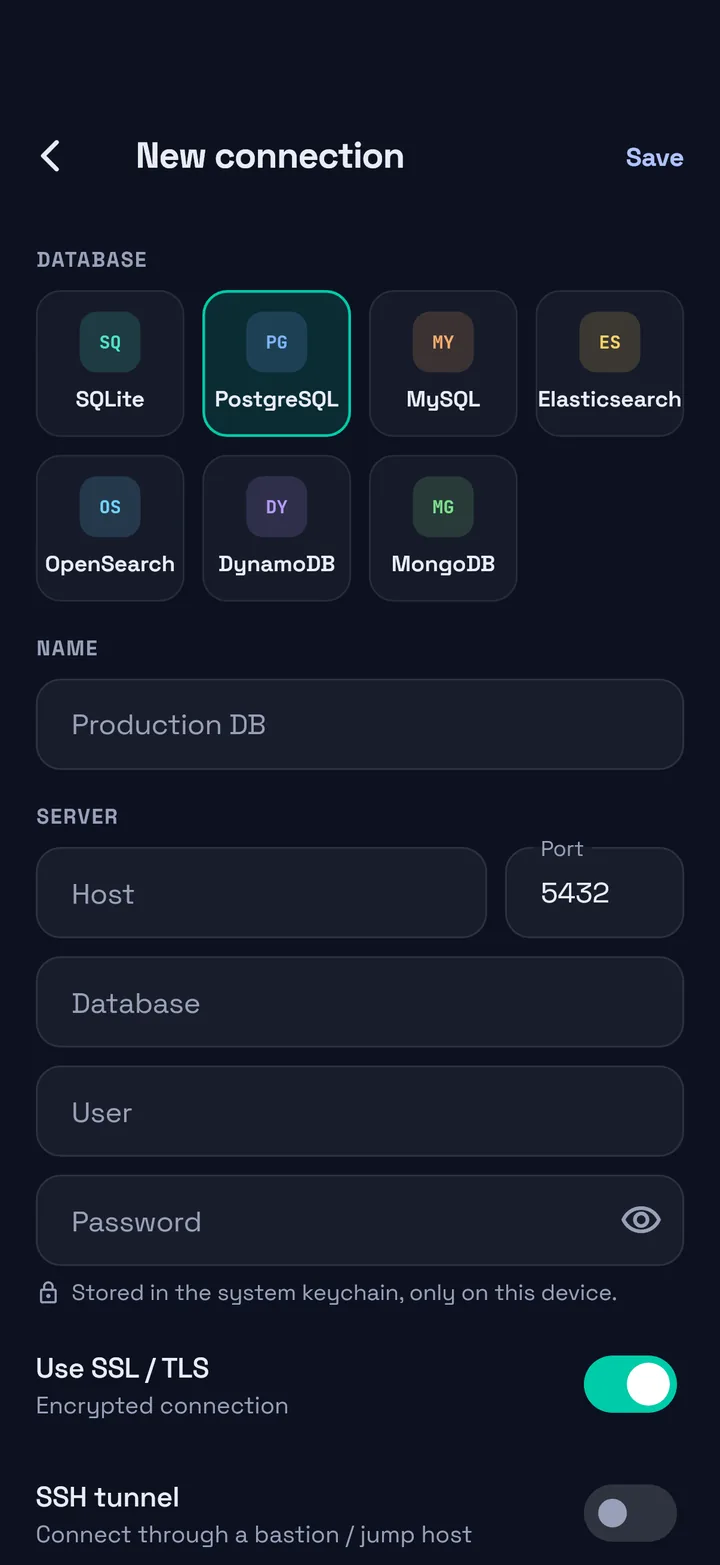
Tablux on Mac, iPhone and iPad has no box to paste a connection string into. You enter the parts in its MongoDB form, and it builds the URI itself:
| In the string | Tablux field |
|---|---|
mongodb+srv:// | mongodb+srv (Atlas) switch on; the Port field disappears |
| Host and port | Host (Cluster host with the switch on) and Port, default 27017 |
/shop | Database (empty means test) |
| Username | User |
authSource=… | Auth database (empty means admin) |
| Password | Password, typed as it is, not percent-encoded: Tablux encodes the user and password for you |
tls=true | Use SSL / TLS, on by default and always on with mongodb+srv |
Other options such as replicaSet, readPreference, w or appName can't be set. With SSL on, Tablux encrypts the connection but does not verify the server's certificate. It can also connect through an SSH tunnel.
Questions
What is the difference between mongodb:// and mongodb+srv://?
mongodb:// lists the servers and ports in the string. mongodb+srv:// names one host and the driver looks up the servers in DNS SRV records; it also turns TLS on by default and can take replicaSet and authSource from a DNS TXT record.
Where do I find my MongoDB Atlas connection string?
In Atlas, open Clusters, choose Connect on the cluster, then Drivers. You need an IP access list entry and a database user first; the dialog helps you create both.
What should authSource be?
The database the user was created in. For Atlas users and most admin-created users that is admin. Without authSource, the driver uses the database in the path, then admin.
How do I use a password with @ in a MongoDB URI?
Percent-encode it: @ becomes %40, so p@ss becomes p%40ss. Encode : / ? # [ ] $ % and other reserved characters the same way.
What is the default MongoDB port?
27017. With mongodb+srv:// you don't give a port at all; the DNS SRV records supply it.
Why does mongodb+srv://localhost fail?
An SRV connection string needs a host of the form hostname.domain.tld with DNS SRV records behind it. For a local server use mongodb://localhost:27017.
Updated 2026-11-25