 Tablux
Guide
SQL window functions, explained with examples
A window function calculates a value for each row from a set of related rows (the window), without collapsing them into one row the way GROUP BY does. You write a function followed by OVER (…): SUM(total) OVER (PARTITION BY customer_id ORDER BY ordered_at) gives every order its customer's running total. Window functions work in PostgreSQL, MySQL 8.0+, MariaDB 10.2+ and SQLite 3.25+.
The example table
Every query on this page uses one small table of orders. Two orders share a date (2 February) and two share a total (80.00), because ties are where window functions surprise people.
CREATE TABLE orders (
  id          INT PRIMARY KEY,
  customer_id INT NOT NULL,
  ordered_at  DATE NOT NULL,
  total       DECIMAL(10,2) NOT NULL
);

INSERT INTO orders VALUES
  (1, 1, '2026-01-05', 120.00),
  (2, 2, '2026-01-09',  80.00),
  (3, 1, '2026-01-20',  45.00),
  (4, 3, '2026-02-02', 200.00),
  (5, 2, '2026-02-02',  80.00),
  (6, 1, '2026-02-25',  60.00),
  (7, 3, '2026-03-03', 150.00),
  (8, 2, '2026-03-18',  95.00);
The SQL runs unchanged on PostgreSQL, MySQL, MariaDB and SQLite unless a section says otherwise. The result tables below come from PostgreSQL 16; MySQL 8.0 and MariaDB 10.11 return the same values.
OVER and PARTITION BY
OVER turns a function into a window function. Inside it, PARTITION BY splits the rows into groups, and the function is calculated separately for each group. Unlike GROUP BY, every row stays in the result, so you can show a row next to its group's total:
SELECT id, customer_id, total,
       SUM(total) OVER (PARTITION BY customer_id) AS customer_total,
       ROUND(100.0 * total / SUM(total) OVER (PARTITION BY customer_id), 1) AS pct
FROM orders
ORDER BY customer_id, id;
id | customer_id | total | customer_total | pct |
|---|---|---|---|---|
| 1 | 1 | 120.00 | 225.00 | 53.3 |
| 3 | 1 | 45.00 | 225.00 | 20.0 |
| 6 | 1 | 60.00 | 225.00 | 26.7 |
| 2 | 2 | 80.00 | 255.00 | 31.4 |
| 5 | 2 | 80.00 | 255.00 | 31.4 |
| 8 | 2 | 95.00 | 255.00 | 37.3 |
| 4 | 3 | 200.00 | 350.00 | 57.1 |
| 7 | 3 | 150.00 | 350.00 | 42.9 |
OVER () with nothing inside means one window over the whole result: SUM(total) OVER () is the grand total on every row. Write 100.0 rather than 100: in SQLite, an integer divided by an integer is an integer, so the percentages would be rounded down.
ROW_NUMBER, RANK and DENSE_RANK
Ranking functions need an ORDER BY inside OVER. They differ only in how they treat ties:
SELECT id, customer_id, total,
       ROW_NUMBER() OVER (ORDER BY total DESC, id) AS row_num,
       RANK()       OVER (ORDER BY total DESC)     AS rnk,
       DENSE_RANK() OVER (ORDER BY total DESC)     AS dense
FROM orders
ORDER BY total DESC, id;
id | customer_id | total | row_num | rnk | dense |
|---|---|---|---|---|---|
| 4 | 3 | 200.00 | 1 | 1 | 1 |
| 7 | 3 | 150.00 | 2 | 2 | 2 |
| 1 | 1 | 120.00 | 3 | 3 | 3 |
| 8 | 2 | 95.00 | 4 | 4 | 4 |
| 2 | 2 | 80.00 | 5 | 5 | 5 |
| 5 | 2 | 80.00 | 6 | 5 | 5 |
| 6 | 1 | 60.00 | 7 | 7 | 6 |
| 3 | 1 | 45.00 | 8 | 8 | 7 |
- ROW_NUMBER numbers rows 1, 2, 3 with no gaps and no ties. When two rows tie, the database picks an order, and it may pick differently next time. Add a unique column (here
id) to make it repeatable. - RANK gives tied rows the same number and then skips: 5, 5, 7.
- DENSE_RANK gives tied rows the same number without a gap: 5, 5, 6.
Add PARTITION BY customer_id to restart the numbering for each customer, which is how you find each customer's first, latest or biggest order.
LAG and LEAD: compare with the previous or next row
LAG(column) reads the value from the previous row in the window; LEAD(column) reads the next one. They replace the self-joins people used to write for “change since last time”:
SELECT id, customer_id, ordered_at, total,
       LAG(total)  OVER (PARTITION BY customer_id ORDER BY ordered_at) AS prev_total,
       total - LAG(total) OVER (PARTITION BY customer_id ORDER BY ordered_at) AS diff,
       LEAD(ordered_at) OVER (PARTITION BY customer_id ORDER BY ordered_at) AS next_order
FROM orders
ORDER BY customer_id, ordered_at;
id | customer_id | ordered_at | total | prev_total | diff | next_order |
|---|---|---|---|---|---|---|
| 1 | 1 | 2026-01-05 | 120.00 | NULL | NULL | 2026-01-20 |
| 3 | 1 | 2026-01-20 | 45.00 | 120.00 | -75.00 | 2026-02-25 |
| 6 | 1 | 2026-02-25 | 60.00 | 45.00 | 15.00 | NULL |
| 2 | 2 | 2026-01-09 | 80.00 | NULL | NULL | 2026-02-02 |
| 5 | 2 | 2026-02-02 | 80.00 | 80.00 | 0.00 | 2026-03-18 |
| 8 | 2 | 2026-03-18 | 95.00 | 80.00 | 15.00 | NULL |
| 4 | 3 | 2026-02-02 | 200.00 | NULL | NULL | 2026-03-03 |
| 7 | 3 | 2026-03-03 | 150.00 | 200.00 | -50.00 | NULL |
The first row of each partition has no previous row, so LAG returns NULL. Both functions take an offset and a default: LAG(total, 1, 0) returns 0 instead of NULL, and LAG(total, 12) on monthly data compares with the same month a year earlier.
Running totals and the default frame
Add ORDER BY to an aggregate's OVER clause and it becomes a running (cumulative) total. But look at orders 4 and 5, which share a date:
SELECT id, ordered_at, total,
       SUM(total) OVER (ORDER BY ordered_at) AS range_total,
       SUM(total) OVER (ORDER BY ordered_at, id
                        ROWS BETWEEN UNBOUNDED PRECEDING AND CURRENT ROW) AS rows_total
FROM orders
ORDER BY ordered_at, id;
id | ordered_at | total | range_total | rows_total |
|---|---|---|---|---|
| 1 | 2026-01-05 | 120.00 | 120.00 | 120.00 |
| 2 | 2026-01-09 | 80.00 | 200.00 | 200.00 |
| 3 | 2026-01-20 | 45.00 | 245.00 | 245.00 |
| 4 | 2026-02-02 | 200.00 | 525.00 | 445.00 |
| 5 | 2026-02-02 | 80.00 | 525.00 | 525.00 |
| 6 | 2026-02-25 | 60.00 | 585.00 | 585.00 |
| 7 | 2026-03-03 | 150.00 | 735.00 | 735.00 |
| 8 | 2026-03-18 | 95.00 | 830.00 | 830.00 |
When OVER has an ORDER BY but no frame, the SQL standard's default frame is RANGE BETWEEN UNBOUNDED PRECEDING AND CURRENT ROW. RANGE treats rows with the same ORDER BY value as peers and includes all of them, so both 2 February orders show 525.00. If you want a total that grows row by row, either make the ORDER BY unique or say ROWS, as in rows_total. Without ORDER BY, the frame is the whole partition.
Window frames: ROWS, RANGE and GROUPS
A frame chooses which rows of the partition the function sees, relative to the current row:
function(...) OVER (
  [PARTITION BY ...]
  [ORDER BY ...]
  [{ROWS | RANGE | GROUPS} BETWEEN start AND end]
)
-- start / end: UNBOUNDED PRECEDING, n PRECEDING, CURRENT ROW,
-- n FOLLOWING, UNBOUNDED FOLLOWING- ROWS counts physical rows:
ROWS BETWEEN 2 PRECEDING AND CURRENT ROWis the current row and the two before it. - RANGE works on values of the
ORDER BYcolumn: rows within a distance of the current row's value, with ties included. - GROUPS counts groups of tied rows (PostgreSQL 11+ and SQLite 3.28+ only).
A three-order moving average uses ROWS:
SELECT id, ordered_at, total,
       ROUND(AVG(total) OVER (ORDER BY ordered_at, id
                              ROWS BETWEEN 2 PRECEDING AND CURRENT ROW), 2) AS moving_avg_3
FROM orders
ORDER BY ordered_at, id;
id | ordered_at | total | moving_avg_3 |
|---|---|---|---|
| 1 | 2026-01-05 | 120.00 | 120.00 |
| 2 | 2026-01-09 | 80.00 | 100.00 |
| 3 | 2026-01-20 | 45.00 | 81.67 |
| 4 | 2026-02-02 | 200.00 | 108.33 |
| 5 | 2026-02-02 | 80.00 | 108.33 |
| 6 | 2026-02-25 | 60.00 | 113.33 |
| 7 | 2026-03-03 | 150.00 | 96.67 |
| 8 | 2026-03-18 | 95.00 | 101.67 |
For “the last 30 days” rather than “the last three rows”, use RANGE with an offset. The syntax depends on the database:
-- PostgreSQL 11+
SUM(total) OVER (ORDER BY ordered_at
                 RANGE BETWEEN INTERVAL '30 days' PRECEDING AND CURRENT ROW)

-- MySQL 8.0
SUM(total) OVER (ORDER BY ordered_at
                 RANGE BETWEEN INTERVAL 30 DAY PRECEDING AND CURRENT ROW)

-- MariaDB: no date arithmetic in RANGE, so order by a day number
SUM(total) OVER (ORDER BY TO_DAYS(ordered_at)
                 RANGE BETWEEN 30 PRECEDING AND CURRENT ROW)

-- SQLite 3.28+
SUM(total) OVER (ORDER BY julianday(ordered_at)
                 RANGE BETWEEN 30 PRECEDING AND CURRENT ROW)
On the example table all four return the same totals, for example 340.00 for order 6 (orders 4, 5 and 6 fall within 30 days of 25 February).
FIRST_VALUE and LAST_VALUE: the frame trap
FIRST_VALUE works as expected, but LAST_VALUE with only an ORDER BY returns the current row's value, because the default frame ends at the current row:
SELECT id, customer_id, total,
       FIRST_VALUE(total) OVER (PARTITION BY customer_id ORDER BY ordered_at) AS first_total,
       LAST_VALUE(total)  OVER (PARTITION BY customer_id ORDER BY ordered_at) AS last_wrong,
       LAST_VALUE(total)  OVER (PARTITION BY customer_id ORDER BY ordered_at
                                ROWS BETWEEN UNBOUNDED PRECEDING
                                         AND UNBOUNDED FOLLOWING) AS last_right
FROM orders
ORDER BY customer_id, ordered_at;
id | customer_id | total | first_total | last_wrong | last_right |
|---|---|---|---|---|---|
| 1 | 1 | 120.00 | 120.00 | 120.00 | 60.00 |
| 3 | 1 | 45.00 | 120.00 | 45.00 | 60.00 |
| 6 | 1 | 60.00 | 120.00 | 60.00 | 60.00 |
| 2 | 2 | 80.00 | 80.00 | 80.00 | 95.00 |
| 5 | 2 | 80.00 | 80.00 | 80.00 | 95.00 |
| 8 | 2 | 95.00 | 80.00 | 95.00 | 95.00 |
| 4 | 3 | 200.00 | 200.00 | 200.00 | 150.00 |
| 7 | 3 | 150.00 | 200.00 | 150.00 | 150.00 |
last_wrong just repeats total. Extend the frame to UNBOUNDED FOLLOWING to get the real last value. The same applies to NTH_VALUE(total, 2), which returns NULL for rows before the second one unless the frame covers the whole partition. A simpler alternative for the last value is FIRST_VALUE(total) OVER (PARTITION BY customer_id ORDER BY ordered_at DESC).
NTILE and other distribution functions
NTILE(n) splits the ordered rows into n groups that are as equal in size as possible and returns the group number, which is handy for quartiles and deciles:
SELECT id, total,
       NTILE(4) OVER (ORDER BY total DESC) AS quartile
FROM orders
ORDER BY total DESC, id;
id | total | quartile |
|---|---|---|
| 4 | 200.00 | 1 |
| 7 | 150.00 | 1 |
| 1 | 120.00 | 2 |
| 8 | 95.00 | 2 |
| 2 | 80.00 | 3 |
| 5 | 80.00 | 3 |
| 6 | 60.00 | 4 |
| 3 | 45.00 | 4 |
Tied rows can land in different buckets (here they happen not to). PERCENT_RANK() returns a row's relative rank from 0 to 1, and CUME_DIST() returns the fraction of rows with a value less than or equal to the current one.
Filtering on a window function: subquery, CTE or QUALIFY
Window functions are calculated after WHERE, GROUP BY and HAVING, so you cannot filter on them in the same query:
SELECT id FROM orders
WHERE ROW_NUMBER() OVER (ORDER BY id) = 1;

-- PostgreSQL: ERROR: window functions are not allowed in WHERE
-- MySQL:      ERROR 3593: You cannot use the window function 'row_number' in this context.
-- MariaDB:    ERROR 4015: Window function is allowed only in SELECT list and ORDER BY clause
-- SQLite:     misuse of window function ROW_NUMBER()
Calculate the window function in a subquery and filter outside it. This returns each customer's latest order:
SELECT id, customer_id, ordered_at, total
FROM (
  SELECT o.*,
         ROW_NUMBER() OVER (PARTITION BY customer_id ORDER BY ordered_at DESC) AS rn
  FROM orders o
) AS t
WHERE rn = 1
ORDER BY customer_id;
id | customer_id | ordered_at | total |
|---|---|---|---|
| 6 | 1 | 2026-02-25 | 60.00 |
| 8 | 2 | 2026-03-18 | 95.00 |
| 7 | 3 | 2026-03-03 | 150.00 |
A common table expression does the same and reads better when the query grows. Top two orders per customer:
WITH ranked AS (
  SELECT o.*,
         ROW_NUMBER() OVER (PARTITION BY customer_id ORDER BY total DESC, id) AS rn
  FROM orders o
)
SELECT id, customer_id, total
FROM ranked
WHERE rn <= 2
ORDER BY customer_id, rn;
Some warehouses and analytical databases have a QUALIFY clause that filters on window functions directly, the way HAVING filters on aggregates:
-- Snowflake, BigQuery, Databricks, DuckDB
SELECT id, customer_id, ordered_at, total
FROM orders
QUALIFY ROW_NUMBER() OVER (PARTITION BY customer_id ORDER BY ordered_at DESC) = 1;
QUALIFY is supported in Snowflake, BigQuery, Databricks (Runtime 10.4 LTS and later) and DuckDB. PostgreSQL, MySQL, MariaDB, SQLite and SQL Server do not have it; they report a syntax error, so use the subquery or CTE.
Window functions on top of GROUP BY
Because windows are calculated after grouping, a window function can wrap an aggregate. SUM(SUM(total)) OVER () adds up the per-customer sums, which gives each customer's share of all revenue in one query:
SELECT customer_id,
       SUM(total) AS revenue,
       ROUND(100.0 * SUM(total) / SUM(SUM(total)) OVER (), 1) AS share_pct
FROM orders
GROUP BY customer_id
ORDER BY customer_id;
customer_id | revenue | share_pct |
|---|---|---|
| 1 | 225.00 | 27.1 |
| 2 | 255.00 | 30.7 |
| 3 | 350.00 | 42.2 |
See SQL GROUP BY for the grouping part.
Name a window once with WINDOW
When several functions share the same OVER clause, define it once in a WINDOW clause after HAVING:
SELECT id, customer_id, total,
       SUM(total) OVER w AS running_total,
       COUNT(*)   OVER w AS order_number
FROM orders
WINDOW w AS (PARTITION BY customer_id ORDER BY ordered_at)
ORDER BY customer_id, ordered_at;
This works in PostgreSQL, MySQL 8.0, MariaDB (tested on 10.11) and SQLite (tested on 3.45).
Which databases support window functions
| Database | Window functions since | Frame types | Not supported |
|---|---|---|---|
| PostgreSQL | 8.4 | ROWS, RANGE, GROUPS (RANGE offsets, GROUPS and EXCLUDE since 11) | QUALIFY |
| MySQL | 8.0 | ROWS, RANGE (including INTERVAL offsets) | GROUPS, EXCLUDE, QUALIFY |
| MariaDB | 10.2 | ROWS, RANGE (numeric offsets only) | GROUPS, EXCLUDE, QUALIFY, date intervals in RANGE |
| SQLite | 3.25.0 | ROWS, RANGE, GROUPS (GROUPS, EXCLUDE and RANGE offsets since 3.28.0) | QUALIFY |
| SQL Server | Frames since 2012 | ROWS; RANGE only with UNBOUNDED and CURRENT ROW | GROUPS, QUALIFY |
All of them support the functions on this page: ROW_NUMBER, RANK, DENSE_RANK, NTILE, LAG, LEAD, FIRST_VALUE, LAST_VALUE, NTH_VALUE, PERCENT_RANK, CUME_DIST and the usual aggregates with OVER. MySQL 5.7 and MariaDB 10.1 and older have no window functions at all.
Performance notes
- Each distinct
PARTITION BY/ORDER BYcombination usually needs its own sort. Reuse the same window where you can. - An index on the partition columns followed by the order columns, such as
(customer_id, ordered_at), can let the database read rows already sorted. - Filter in
WHEREfirst. Window functions see only the rows that survive it, so less input means less sorting. - Check the plan with
EXPLAIN: look for a Sort or filesort step before the window step.
Trying these queries
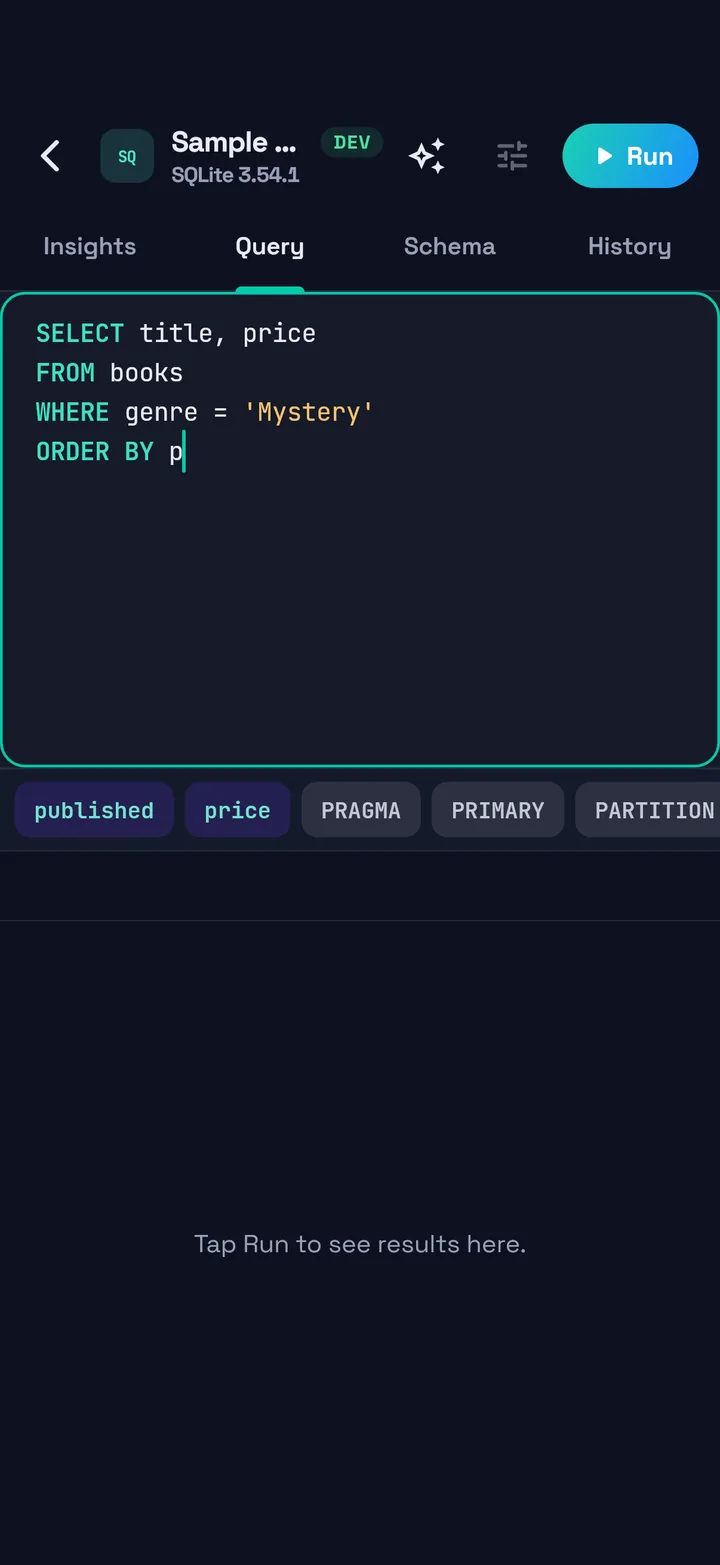
The free read-only PostgreSQL demo database has an orders table with customer_id, ordered_at and total columns (and more rows), so you can run these queries against real-looking data. In Tablux you can connect to it from a Mac, iPhone or iPad; on iPhone and iPad a key bar under the editor offers keywords and column names while you type, and the AI assistant can draft a window query for you to check and run yourself.
Questions
What is the difference between a window function and GROUP BY?
GROUP BY returns one row per group. A window function returns every row and adds a value calculated over a group of related rows, such as a total, rank or previous value.
What is the difference between RANK and DENSE_RANK?
Both give tied rows the same rank. RANK then skips numbers (1, 2, 2, 4); DENSE_RANK does not (1, 2, 2, 3). ROW_NUMBER never gives two rows the same number.
Why does LAST_VALUE return the current row's value?
With ORDER BY and no frame, the default frame ends at the current row. Add ROWS BETWEEN UNBOUNDED PRECEDING AND UNBOUNDED FOLLOWING to see the whole partition.
Can I use a window function in WHERE?
No. Window functions are calculated after WHERE, GROUP BY and HAVING. Compute it in a subquery or CTE and filter outside, or use QUALIFY in Snowflake, BigQuery, Databricks or DuckDB.
Does MySQL support window functions?
Yes, from MySQL 8.0. MySQL 5.7 does not have them. MariaDB has them from 10.2.
What is the difference between ROWS and RANGE?
ROWS counts physical rows around the current row. RANGE uses the values of the ORDER BY column, so rows with the same value are treated as one and are all included.
Updated 2026-11-26