 Tablux
Guide
How to view a SQLite database and open a .sqlite file
To view a SQLite database from a terminal, run sqlite3 path/to/file.db, then .tables to list its tables, .schema orders to see how a table is defined, and plain SQL such as SELECT * FROM orders LIMIT 10; to see rows. macOS already includes sqlite3. To browse instead of type, open the file in an app such as DB Browser for SQLite, TablePlus or Tablux.
Open a SQLite file with sqlite3
A SQLite database is a single file, usually ending in .db, .sqlite or .sqlite3, though the extension can be anything. The sqlite3 command-line shell opens it directly; there is no server to start.
Mac: sqlite3 is already in /usr/bin. Check with sqlite3 --version. Apple's copy can be older than the current SQLite release; if you want the newest, brew install sqlite installs it as keg-only (Homebrew won't override the system copy), at $(brew --prefix)/opt/sqlite/bin/sqlite3. Linux: sudo apt install sqlite3 or your distribution's equivalent. Windows: download the command-line tools zip from sqlite.org's download page.
sqlite3 ~/Downloads/app.db            # open, read-write
sqlite3 -readonly ~/Downloads/app.db  # open, refuse any write
You get a prompt where you type dot-commands (shell commands that start with a dot, no semicolon) and SQL statements (which end with ;). .help lists the dot-commands, .quit or Control-D leaves.
One trap: if you mistype the path, sqlite3 doesn't complain. It opens a new, empty database under that name, so .tables prints nothing and you may think the file is empty. Opening with -readonly avoids this, because it fails on a file that doesn't exist: unable to open database file.
For a one-off query, pass the SQL after the file name and the shell exits when it's done:
sqlite3 -readonly app.db "SELECT count(*) FROM orders;"Show tables in SQLite
SQLite has no SHOW TABLES. In the shell, use .tables, which lists tables and views; give it a LIKE-style pattern to filter:
sqlite> .tables
big_orders  customers   orders
sqlite> .tables cust%
customers
Every database also describes itself in the sqlite_schema table (older versions call it sqlite_master, and that name still works). Query it when you are not in the shell, for example from code or a GUI:
SELECT name
FROM sqlite_schema
WHERE type = 'table' AND name NOT LIKE 'sqlite_%'
ORDER BY name;
Change type = 'table' to 'view', 'index' or 'trigger' for the other kinds of object. The NOT LIKE 'sqlite_%' filter hides SQLite's internal tables, such as sqlite_sequence. .indexes orders lists one table's indexes.
There is no SHOW DATABASES either: one file is one database, called main. .databases shows the file you have open, plus any you add with ATTACH:
ATTACH 'archive.db' AS archive;
SELECT count(*) FROM archive.orders;
See a table's columns and schema
.schema prints the CREATE statements, which is the most complete description of a table: columns, types, constraints, defaults and the indexes on it.
sqlite> .schema orders
CREATE TABLE orders(id INTEGER PRIMARY KEY, customer_id INTEGER REFERENCES customers(id), total REAL, created_at TEXT);
CREATE INDEX orders_customer ON orders(customer_id);
.schema with no argument prints the whole database. For the columns as rows you can sort or filter, use the pragmas, which also work outside the shell:
PRAGMA table_info(orders);         -- cid, name, type, notnull, dflt_value, pk
PRAGMA foreign_key_list(orders);   -- which columns point at which tables
PRAGMA index_list(orders);

-- the same as a table-valued function, so you can use WHERE and joins
SELECT name, type FROM pragma_table_info('orders') WHERE pk = 0;
Column types in SQLite are looser than in other databases: unless the table is declared STRICT, a column declared INTEGER can still hold text. If values look odd, check with SELECT typeof(total), count(*) FROM orders GROUP BY 1;.
Make the output readable
Since SQLite 3.52.0 (March 2026) the shell already shows query results in a box with column names when you use it interactively. It also cuts long values short (the first 300 characters and 5 lines of each value); .mode box --limits off shows them in full.
Older versions, which is what many systems still ship, print bare values separated by |. Turn on headers and a table layout:
.headers on
.mode box        -- Unicode box (SQLite 3.33.0 and later)
.mode column     -- aligned columns, no borders
.mode line       -- one column per line: good for wide rows
sqlite> .headers on
sqlite> .mode box
sqlite> SELECT * FROM customers;
┌────┬───────┬─────────────────┐
│ id │ name │ email │
├────┼───────┼─────────────────┤
│ 1 │ Ada │ [email protected] │
│ 2 │ Linus │ [email protected] │
└────┴───────┴─────────────────┘Add .timer on to see how long each query takes.
Common sqlite3 commands
| Command | What it does |
|---|---|
sqlite3 file.db | Open a database (creates it if missing) |
sqlite3 -readonly file.db | Open without allowing writes |
.open other.db | Close the current file and open another |
.tables [pattern] | List tables and views |
.schema [table] | Show CREATE statements |
.indexes [table] | List indexes |
.databases | Show the open file and attached databases |
.headers on / .mode box | Readable output (older versions) |
.once file.csv | Send the next query's output to a file |
.output file / .output | Send all output to a file / back to the screen |
.timer on | Show query times |
.timeout 5000 | Wait up to 5 s for a lock instead of failing |
.backup copy.db | Write a consistent copy of the database |
.help / .quit | List commands / leave |
Export a table to CSV
The simplest way works with every version: run sqlite3 from your shell with CSV output and redirect it to a file.
sqlite3 -readonly -header -csv app.db "SELECT * FROM orders;" > orders.csvInside the shell, switch to CSV mode and send one query's output to a file with .once. On SQLite 3.52 and later, ask for the column names with --titles on:
.mode csv --titles on
.once orders.csv
SELECT * FROM orders;
On older versions, use .headers on instead:
.headers on
.mode csv
.output orders.csv
SELECT * FROM orders;
.output
.output with no file name sends output back to the screen. .once only redirects the next statement, so it is harder to forget.
Fix common errors
file is not a database. The file isn't a plain SQLite database. Every SQLite file starts with the 16 bytes SQLite format 3 followed by a zero byte; check with head -c 15 app.db; echo. If that prints anything else, the file is another format, damaged, or encrypted. Encrypted databases (SQLCipher, used by some apps) can only be opened with the matching tool and key.
database is locked. Another connection holds a lock, usually the app that owns the file and is still running, or a process that crashed mid-write. Quit that app, or let the shell wait with .timeout 5000. In SQLite's default rollback-journal mode, a write that is committing blocks readers as well; in WAL mode, readers carry on while one connection writes.
Recent rows are missing, or you see app.db-wal and app.db-shm next to the file. The database uses write-ahead logging (WAL): committed changes sit in the -wal file until a checkpoint copies them into the main file. SQLite's documentation is clear that the -wal file is part of the database, so copying only app.db can lose committed transactions. Either copy all three files while nothing has the database open, or make a clean copy from the live database:
sqlite3 app.db ".backup app-copy.db"
# or, in SQL:
VACUUM INTO 'app-copy.db';
# or fold the WAL into the main file first:
sqlite3 app.db "PRAGMA wal_checkpoint(TRUNCATE);"
unable to open database file. A wrong path or missing permissions. On a Mac, files under protected folders in ~/Library (Messages' chat.db, for example) give authorization denied until you allow Terminal in System Settings › Privacy & Security › Full Disk Access and restart it.
attempt to write a readonly database. You opened with -readonly, or you lack write permission on the file or its folder (SQLite needs to create its journal next to the file).
View a SQLite database in an app
If you would rather browse tables than type commands, several apps open SQLite files on a Mac:
- DB Browser for SQLite: free and open source, a universal download for Apple silicon and Intel Macs (version 3.13.1), or
brew install db-browser-for-sqlite. It edits the file in place: browse and change data in a grid, then Write Changes to save. It also imports and exports CSV. - TablePlus: a native client for many databases, SQLite included, with a free version limited to two tabs and windows at a time and a paid licence. See Mac database clients compared for prices.
- Tablux: our app for Mac, iPhone and iPad, described below.
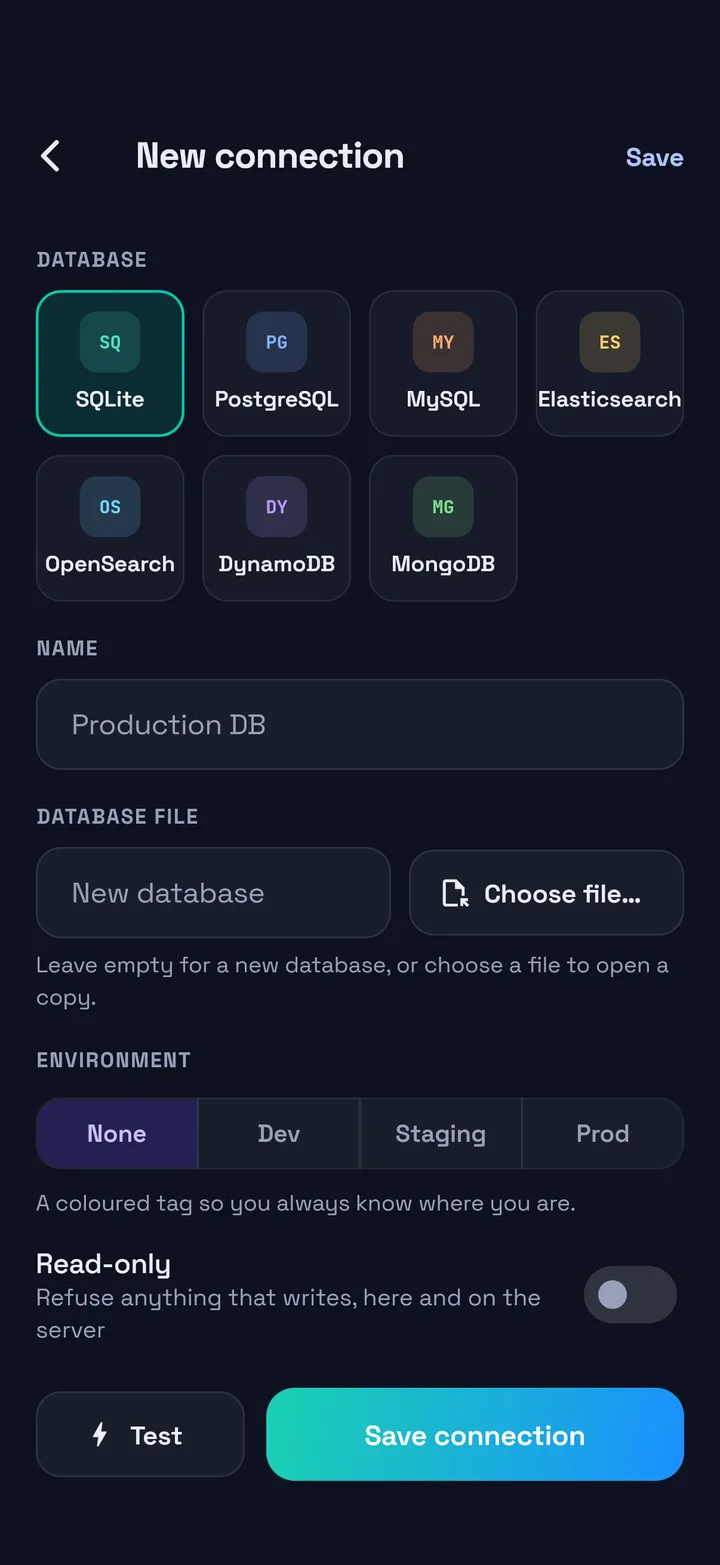
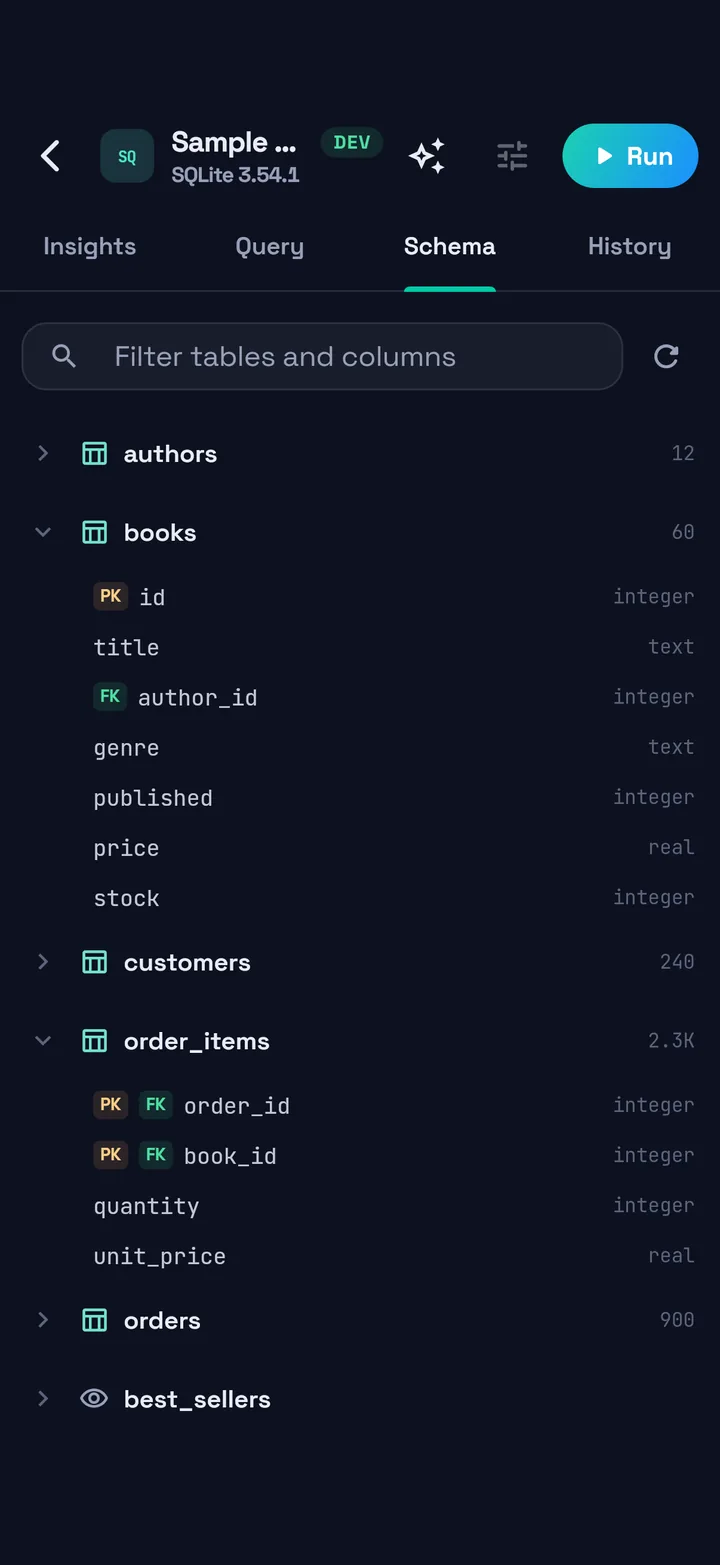
For a file on your iPhone or iPad, from an app export, an email attachment or iCloud Drive, Tablux opens it from the Files app. Choose Open SQLite file…, pick the file, and Tablux checks that it really is SQLite (by those first 16 bytes, so any extension works) and opens a copy inside the app. The original is never changed, and changes you make stay in the copy, which Tablux can't export yet. On a Mac the same button opens a file from Finder. You get the schema with column types, primary and foreign keys and row counts, a SQL editor and a results grid; you can copy a result as CSV. When you pick a file, Tablux copies only that file, not its -wal file, so checkpoint a WAL database first if you need the very latest rows.
Questions
How do I open a .db file on a Mac?
If it is a SQLite database, run sqlite3 followed by the file path in Terminal; sqlite3 comes with macOS. Then type .tables to list the tables. A GUI such as DB Browser for SQLite, TablePlus or Tablux works too.
How do I show all tables in SQLite?
In the sqlite3 shell, type .tables. In SQL, run SELECT name FROM sqlite_schema WHERE type = 'table' AND name NOT LIKE 'sqlite_%' ORDER BY name;
How do I see the columns of a SQLite table?
Use .schema table_name in the shell to see the CREATE TABLE statement, or PRAGMA table_info(table_name); for one row per column with its type, NOT NULL flag, default and primary key position.
Why does sqlite3 show no tables in my file?
Usually the path is wrong: sqlite3 creates a new empty database when the file doesn't exist. Check the path, or open with sqlite3 -readonly, which fails instead of creating a file.
Can I open a SQLite file on iPhone or iPad?
Yes, with an app that reads SQLite. In Tablux, choose Open SQLite file… and pick it in Files; Tablux opens a copy, so the original file is not changed.
What are the -wal and -shm files next to my database?
They belong to SQLite's write-ahead log. The -wal file can hold committed changes not yet in the main file, so copy it with the database or run PRAGMA wal_checkpoint(TRUNCATE); first.
Updated 2026-11-25